Sunday, September 26, 2010

Coding dojos

At work, we do weekly coding dojos since 2 1/2 months now - and it's great!
Every thursday at 11am we meet in front of a computer and start a 1h-timeboxed session. This session consists of 3 parts: discuss kata, code, retrospective.

Discuss kata
First, we decide which kata to start with. If we haven't finished the kata from the week before, we throw away the results and start again from scratch including finding a common interpretation of the requirements (e.g. does an account number consist of 3 or 4 lines). Throwing away the work you have already done is not painful at all. Actually, it is necessary to improve yourself. Seeing direct improvements (e.g. completing a part of the kata which was never touched the week before) is priceless!

This part should be as long as necessary but as short as possible. At the moment, we need more than 10 minutes before writing our first test. I think we can cut that into halves in the coming weeks.

Code
At the moment, we work on the Bank OCR-kata and haven't finished the first user story yet. Before this kata, we successfully finished the katas Prime Factors and Roman Numerals *proud*. We do the katas (as well as our actual real-code-pair-programming) in a flow-Randori system:
The first person to be on the keyboard creates the test-project and writes the first test. After that, we play a round of musical chairs and the next developer solves the test. When it's green, he has the chance to refactor the code using baby-steps. Having finished the refactoring, all he has to do now is to write the next test and initiate the next round of musical chairs (which doesn't necessarily needs music to play in the background).
I think doing this kind of system is perfect when you're 4-6 people. Are there more than that, you would probably more likely do the prepari system. But being 10+ developers, I would rather split the group into two halves than having one big group where not everyone can participate.

Retrospective
About 5 minutes before the deadline, we begin the retrospective and try to find out what was good or what can be better next time. Right now, we're far away from a fast TDD-circle: approximately 5 minutes lasts a red-green-refactor-mantra, which surely can be lowered to 2 minutes.

In my opinion, every company writing software should have a regular coding dojo in the calendar. It helps enormously to spread a common coding style. Everyone learns from everyone, be it new keyboard-shortcuts (- is my newest) or amazing tools like R# or Visual Studio Power Tools.
With coding dojos, it is easy to integrate new team members and guide them in learning TDD. All in all, I highly recommend that!

Sunday, June 13, 2010

Prism is witchery

For my newest project, I wanted to use Prism to guide us writing a decoupled WPF-application. I started investigating it and was quickly amazed about the module-approach. In our former WinForms-project, we didn't used a framework to guide us building a nice architecture, but developed our own clsForms-class (at that time even with hungarian notation *awkward*) and used even IPC to communicate across process-boundaries.

I began writing the framework for the new project with heavy guidance of Prism (RegionManager, EventAggregator, DelegateCommands and CommandBehaviors). In the end, we had some modules building a master-detail view with database-access. This was the time when other coworkers started to complain that the architecture is way too complex for such a small application as it is today. We started to discuss how to simplify it and at the end we had a draw in our opinions: some people wanted to keep everything (me included *g*) and some wanted to strip it down to remove Prism, to abolish dependency injection and the IoC container Unity. Our boss had to decide it and spoke to us: "thou shalt remove Prism but keep DI for a better TDD").

The top-3 reasons why Prism is evil for us* are:
(*) i.e. not for me

3) Using the app.config for setting up the modules is error-prone and not type-safe.
I told them that we could do it in code also but somehow I got not heared :/

2) Debugging is too hard.
When you get an exception in a view which will be inserted into a region, you got this Prism-Exception telling you that there was a problem resolving this module for that region. I learned here that you cannot expect everyone to look at inner-exceptions (admittedly mostly at level >5)...

1) Top reason why Prism is evil: it is too intransparent how the regions get filled (witchery *hooo*).
What can I say? For sure, you have to look at the good documentation at their homepage to get the hang of it. Else it's witchery, yes.

So we burned it and removed it from our solution with 10+ modules and about 10,000 loc. We needed 5 hours to remove the lightweight Prism-sections completely and substitute it with our own RegionManager-approach (which is basically the same) and with our own DelegateCommand-approach (wich is basically the same) and without the help for commanding of Prism (we now use code-behind to execute the commands). Ah yes, and we copied the EventAggregator out of the Prism-sourcecode and use it now, because our approach would be basically the same...

Everyone feels better now that the evil is being distroyed.

What was the problem? We're using a whole bunch of new technologies and paradigms in this project (WPF is new to us, as Entity framework, WCF, Prism, TestDrivenDevelopment and dependency injection). This means a lot to learn and sooner or later, your retentiveness is exhausted. This meant to sacrifice a pawn, in this case it was Prism.

Tuesday, December 8, 2009

Another book, another kata

This unit testing book by Andrew Hunt and David Thomas is better than the last one, but I made the mistake? to start reading The art of unit testing in parallel (when I've finished that book, a review will be posted as well). So, nothing bad about the pragmatic book, but nothing good either. It covers NUnit (already with "That") and only strives mock-frameworks. There are a plenty of tips how to write good unit tests, among them mnemonics like "Right BICEP", "A TRIP" and "CORRECT". There is even a Pragmatic unit testing summary in checkbox-format. As if I'll go through all the rules after writing a test *lol*
All in all, a good book - but I'm looking forward to "the art".

Staying by Dave Thomas, I've done his sixth kata "anagrams" a few times and I always learned a new shortcut, trick or whatever. I rarely use the mouse anymore and I've downloaded ReSharper (because we're using NUnit instead of MSTest now) and took benefit from the smooth integration of the refactorings. DevXpress had to go unfortunately.

Here, I've found a nice introductory-video in the principles of coding katas, if you're interested.

Here is a video about the randori-variation.

Uncle Bob takes this approach a step further and declares coding kata as an art. See him performing the prime factor kata to music! here.

Thursday, November 26, 2009

Code katas

I just finished my first code kata :) I did FizzBuzz, a very easy one just to get started. I wrote the last code-bit for the last test to past in a quarter of an hour. Therefore, I continued with "stage 2" of the kata.
I wanted to make it easy to extend and got lost half the way :( There was a point where I refactored too much without unit testing. This was bad because the bigger the steps the more likely it is you have to go a step backwards.
Luckily, I got my act together and accomplished my plan. The rest was fine and all tests passed.
On a second try, my goal is to don't use the debugger anymore (I needed it twice) and take baby steps.

Wednesday, November 18, 2009

PDC 2009

It's PDC again! Yesterday, I watched the opening-keynote. They spoke about the cloud and the new Visual Studio and how they can interact. A database store, codename Dallas, was shown which tries to unite data from all over the world - surely nice to play around with.
About half the time, when talking about the cloud, they showed this list:

1970s: Mainframe
1980s: Client-Server
1990s: Web
2000s: SOA
2010+: Cloud

We're just working on to get to the 90s, great...

One new feature of VS2010 is intelliTrace, which is a history of the program running via the debugger. I hope we switch to VS2010 soon, because that sounds interesting.

Last year, a lot of sessions were recorded and put online. I hope they'll do it this year alike. Nevertheless, don't forget to watch the second keynote today (17:30 CET) at the website with Scott Guthrie.

--------------------------------------------------------------------

The second keynote was great! Silverlight 4 beta available now! With trusted mode!! File system access!!! *download*

Monday, November 16, 2009

Test-Driving

The plan is to do a 2-week-bootcamp right before christmas to learn / get experience with test driven development (TDD). I already tried to practice it and I must say that it's hard. Though writing tests before you implement feels natural (I somewhere read "developing without testing is like driving a car without fastening your seatbelt"), it is so much contradictory to what I'm used to develop (test last development; if tests at all). Because of that I looked for some help in books.

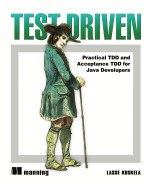
From the first one I only read two chapters online: Test Driven: Practical TDD and Acceptance TDD for Java Developers by Lasse Koskela. You can find the chapters here. As I'm a .NET-developer, a Java-book is not worth purchasing, I think. However, I mention this book because these two chapters are really good. The first one is about beginning TDD. This is the usual stuff about red, green, refactor by example. The second chapter is the one that enlightend me. It talks about how to integrate the testing in the development-process (eXtreme Programming, that is) with acceptance TDD. The following picture is from Lasse's book and opened my eyes. Never before was the test-integration so clear to me. This is the only way how a developer will write good tests: write an acceptance test and make it green via several unit test driven development-cycles.
The other chapters sound interesting - maybe I'll find this book in a library.

Test-Driven Development in Microsoft .NET by James W. Newkirk and Alexei A. Vorontsov is the other book I recently read. I got this book from my good friend Uwe (*winkeWinke*). This book has a foreword by Kent Beck - so this has to be good, I thought. But actually: it isn't :( The first three chapters are OK - the standard-introduction section. Then, the book tries to write a whole example-application with TDD. I must admit, this is courageous - but it fails. I don't think that someone will work through all this code in order to understand how to test a database, a web-service, a web-client, etc. At the end, all tests are more or less the same. I think it is more helpful to learn TDD with your own little project than with this book. By the way, the technology used (ADO.NET instead of Entitiy Framework, ASP.NET Web Service instead of WCF, ASP.NET instead of Silverlight!?) is old...

Tuesday, November 3, 2009

2 agile books and one IOException

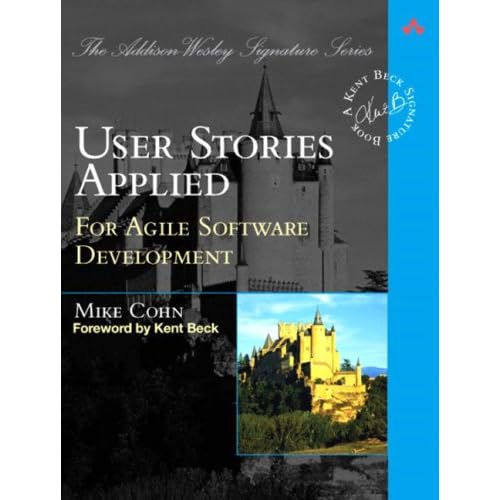
I just finished 2 books about agile development: User Stories Applied by Mike Cohn and Scrum and XP from the trenches by Henrik Kniberg.


Mike Cohn covers all about user stories. As we're just beginning Scrum with a new project, we will be doing a story writing workshop with some business people. So, User Stories Applied is probably the right book for that.
After not much blabla and good tips, page 49 describes what to do in such a workshop. He suggests to find the top epic stories and break each down. Page 182pp shows the place of a workshop within the path to begin programming:

1) Perform user role modeling
2) Trawl for high-level user stories <-- Start workshop
3) Prioritize stories
4) Refine high- and medium-priority stories
5) Organize stories into groups
6) Create a paper prototype <-- great if we'll reach that in the workshop
7) Refine the prototype
8) Start programming

I think the hardest thing is to gather the top 25 epics. This will be difficult with people discussing each and every detail don't focusing at the higher level. But as this will be the first workshop, we can still learn if things go astray :)

Here's a passage I liked (about 'why user stories'):
"Humans used to have such a marvelous oral tradition; myths and history were passed orally from one generation to the next. Until an Athenian ruler started writing down Homer's The Iliad so that it would not be forgotten, stories like Homer's were told, not read. Our memories must have been a lot better back then and must have started to fade sometime in the 1970s because by then we could no longer remember even short statements like "The system shall prompt the user for a login name and password." So, we started writing them down." (cf. IEEE 830)

So, good book, nice to read and great for looking up user-story-things.


The second book I finished is Scrum and XP from the trenches which is a war story on doing scrum. Lots of hands-ons and lessons-learned stuff. Some parts are interesting like how to handle multiple scrum teams but the most part I heard or read already. If you're new to scrum and agile methods, this is amusing to read (like how to negotiate with the PO). If not, you can scroll over it (as I read it as a free eBook).

And now for the IOException. I made some debug-sessions lately and now and then I came across an IOException just reading "the file exists" when calling GetTempFileName. I loaded old, already released code and even with this *cough* high-quality-code the exception will be thrown. Luckily I found this blog-post dealing with the same problem. Just delete some temp-files (approx. 100,000) and everything works fine now :)

Thursday, October 22, 2009

Sketchflow

We're started a project and are now in gather-requirements-phase. I sketched some UI-views for my module and Alex said: great - can you scan them in so we can discuss them with Uwe from Hamburg?
I remembered that I've heard something about Sketchflow which is build into Expression Blend. Sketchflow is a rapid prototyping software which lets you design new UI-sketches very fast. So I surfed to Sketchflow overview and thought "well, I'll give it a try". So I downloaded Expression Blend 3 and a Starterkit with some neat videos. While installing, I watched the first one and was impressed what you can do with that piece of software: build your UI using predefined toolsets, add navigation to your sketched application and even gather feedback from various persons via a Sketchflow-player.
After 3 and a half hours of work, I sketched all paper-sketches into Sketchflow and showed it to Alex and Reinhard. Gosh, they were impressed. Here are two screenshots:

This will be the first screen after a import has finished. They suggested to delete the buttons and integrate the navigation into the colored labels.

This shows how easy it is to create a rich screen in just a few minutes. If you wish, you can even use real data imported into Expression Blend! And best of all: it makes a lot of fun ^^

Monday, October 12, 2009

Pair Programming

Puh, just finished a pair programming-session with Artem. This was hard work!
We started at about 14:00 and wanted to add some unittests for a class Artem wrote. I already reviewed his code, so I knew it quite good. By the way, one result of the review was "where are the unittests?" - so I maneuvered myself in this position. Anyway, good quality-code needs some sacrifices *heroic*
I took the keyboard and Artem the mouse... No, just kidding. He was sitting beside me keeping an eye on my cursor. So we began with the first function and let Visual Studio build a test-stub and an accessor (yes, I love that!) for us. We discussed what to test for this method and I began to write code for it - easy. Not long afterwards, we found the first inconsistency which wasn't visible in the review and in the productive code either. Fixed it and continued. This went on and on, one unittest after the other. We discussed the relevant parts of the code and enhanced a few places.
But as time goes by, I noticed how unconcentrated I was and that I made more and more typos. What a luck that we almost had all unittests we longed for. So we created the rest and finished that session. It was 16:00 and I was exhausted like never before when writing some code.
I must say, that this was hard, but it was worth for it. You can't get such a tight feedback-loop when doing reviews and you can't produce code just by discussing it in a normal meeting. So, pair programming is great but exhausting!

Friday, September 4, 2009

CodeRush Xpress

Some time ago, I tried ReSharper, but wasn't totally convinced to spend > 100 Euro - so I forgot about it. As I'm doing more and more refactorings (you know, I'm on my way...), I really felt that there could be tools to help me. I read some forums and found CodeRush Xpress. Just have a look at the introductory video here and you want to work immediately with it.
I discovered that tool the day before I went on a 1-week-no-pc-holiday-trip. As I came back, I was eager to try it and it held all my demands.
I'm using + + <+ / -> (Selection increase / decrease), the camel-case navigation and on a variable (show appearance). And of course I'm using + <รถ> (german layout) to call the refactorings. It's nice how you get a visual feedback for an upcoming refactoring:

There's so much so discover for me. There's also a kind-of mod-community, because the API is open (DXCore) to extend. Great tool!